
How to Find the Original Source of an Image
A practical guide to tracing an image back to its creator, verifying its authenticity, and finding its first instance online.
Why Find the Original Source?
Images spread rapidly across the internet, losing their attribution along the way. Finding the original source is essential for journalists fact-checking news photos, designers needing commercial licenses, and anyone wanting to properly credit the original artist or photographer.
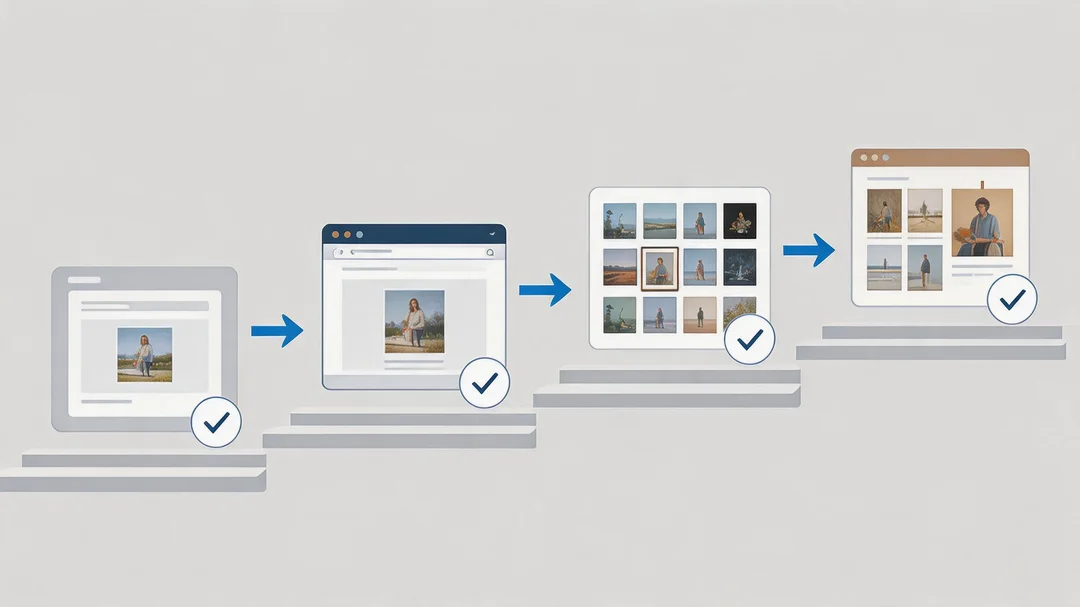
The Source Discovery Ladder
When one engine fails, move to the next. Follow this escalation path from the quickest method to the most thorough:
Upload to TinEye & Sort by Oldest
TinEye is purpose-built for tracking duplicates across time. Upload the image and change the sort to 'Oldest'. The oldest result is your best lead.
💡 Look for domains like 500px, Flickr, Behance, or news outlets — not social media reposts.
Search via Google Lens → Find Image Source
Upload to Google Lens and click the 'Find image source' button. Scan for high-authority domains: news organizations, stock agencies, or photographer portfolios.
Extract & Search Contextual Clues
Look for visible watermarks, brand names, location signs, or any text in the image. Run those as keyword queries — often faster than visual search.
💡 Partial watermarks like 'JD Photo' → search 'JD Photo photographer' to find the creator.
Try Yandex for Obscure Sources
If TinEye and Google both fail, upload to Yandex Images. Its aggressive crawling often surfaces non-English or Eastern European sources that Google misses.
Check EXIF Metadata
If you have the original image file, use Jeffrey's Image Metadata Viewer or ExifTool to extract embedded camera data, GPS, and copyright holder information.
💡 Social media platforms strip EXIF on upload — this only works with original files.
What Counts as an "Original Source"?
Photographer's portfolio
500px, Flickr, Behance, personal site with their name on it
First news publication
Accredited news wire (Reuters, AP) that captured the event
Stock agency page
Getty, Shutterstock — they hold licensed originals
Earliest social media post
May still be a repost — check if the account is the creator
Pinterest or Reddit reposts
Almost always aggregators, not original creators
Generic image blog
'Wallpaper sites' rarely credit original photographers
Red Flags — This Image May Be Misattributed
- Low resolution with heavy compression: Originals are almost always higher quality. A heavily compressed JPEG suggests multiple rounds of re-uploading.
- Multiple overlapping watermarks: If the image has more than one watermark from different services, it has definitely been re-shared extensively.
- Date mismatch: A photo "from 2023" that appears in TinEye results from 2018 means the date is false or the image is being reused out of context.
- No EXIF data: Real camera photos have rich EXIF data. Images stripped of all metadata are often passed through social platforms (where EXIF is removed).